
Appearance
Scenery on the Web (WebXR) Beta
The WebXR Viewer brings your experiences to the browser – no app install needed. Every experience with WebXR enabled gets a shareable link that works across devices:
- Android – full immersive AR in Chrome.
- Desktop – an interactive 3D preview in any modern browser (orbit the scene from any angle).
- iOS – continues to use App Clips for the best native experience.
Beta
The WebXR Viewer is in beta. Browser-based AR is improving quickly but isn't yet on par with the native experience, so test before sharing with your audience.
Enabling WebXR
WebXR is available to every creator – you opt in per experience:
- In the editor's Experience settings, turn on WebXR support.
- A viewer URL is generated automatically (
viewer.scenery.app/{experienceId}). - Share it however you like – QR code, social media, email, or embedded on your own site.
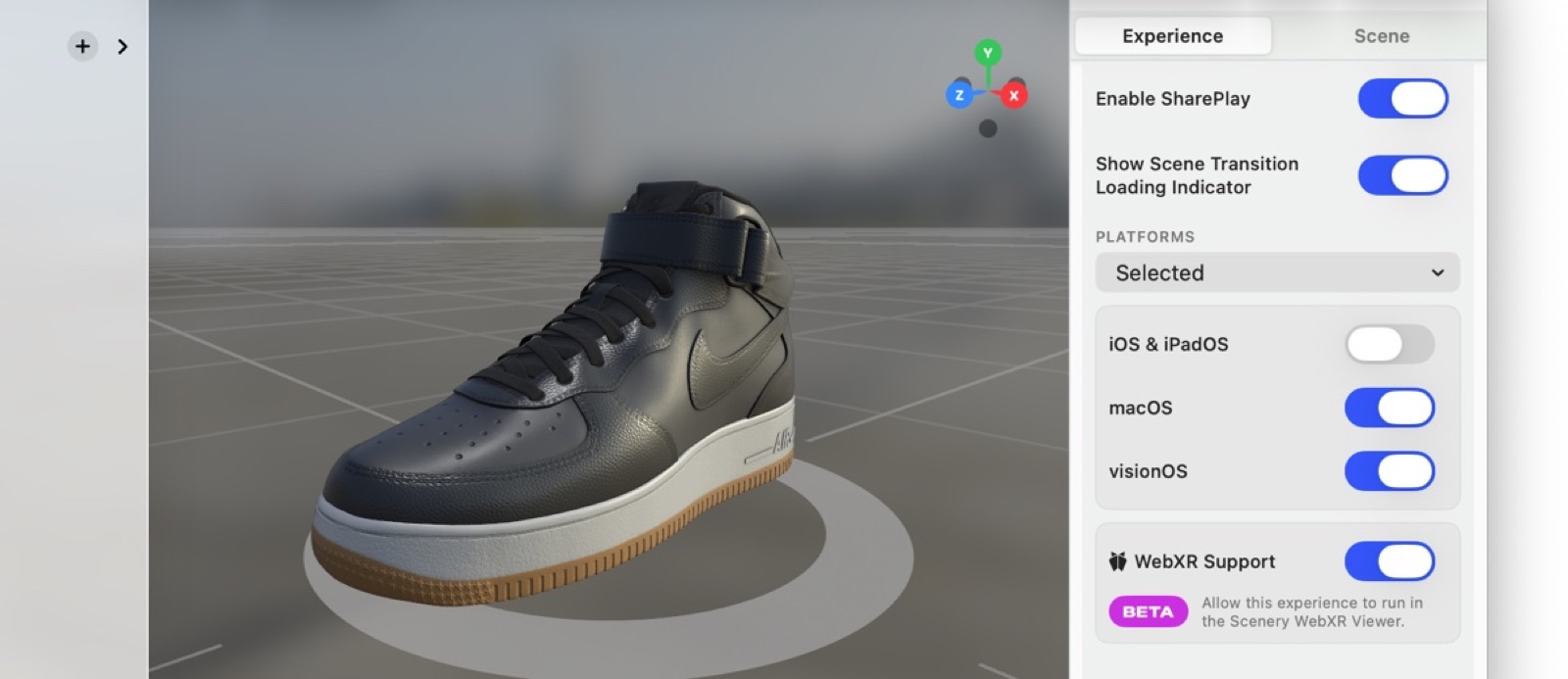 Enable WebXR Support in the experience settings.
On a campaign landing page, visitors see an action that matches their device: Android users get View in AR, desktop users get View in 3D, and iOS users get the full App Clip.
What works
Most of what you build in the editor carries straight over to the web:
- 3D models with full PBR materials and animations (keyframe, skeletal, morph targets / blend shapes).
- Interactions – tap, proximity, timers, visibility triggers, and the rest of the event system.
- Spatial and ambient audio.
- Video textures (MP4, WebM).
- Physics – gravity, collisions, impulses.
- Face tracking (Android).
- Image tracking (Chrome, with an experimental browser flag enabled).
- Variables and conditional logic.
- Multi-segment experiences with scene transitions.
What works differently
A few things behave slightly differently from the native iOS / visionOS experience:
- 3D model fidelity – most models render accurately; some advanced surface features (e.g. subdivision surfaces) may look slightly different. This improves with each update.
- Face tracking – uses a different tracking engine than the native depth camera. Good, but not identical.
- Image tracking – available in Chrome, but requires enabling an experimental browser flag (off by default).
- Physics – a different physics engine under the hood; very close, but not identical to the native app.
Not yet supported
These native features don't run in the viewer yet. If your experience relies on one, it may not render as expected:
- Custom scripting.
- ShaderGraph / custom shader materials (they use platform-specific shader nodes with no web equivalent yet).
- Particle systems.
- Location-based experiences (GPS / visual positioning).
- Play-space-bound experiences.
- Immersive 180° / 360° video (renders as flat video).
- Haptic feedback.
- Audio-reactive effects (beat detection, frequency-driven animation).
- Transparent video (alpha channel).
- Draw order groups.
- In-viewer recording (screenshots / screen recording).
- Post-processing effects.
On the roadmap
We're actively expanding the viewer: custom scripting, play-space-bound experiences, Meta Quest support, haptic feedback, immersive 180° / 360° video, transparent video, draw order groups, post-processing effects, and in-viewer recording.
Where it runs
| AR mode | 3D viewer | |
|---|---|---|
| Chrome (Android) | Full AR | Full 3D |
| Chrome (desktop) | – | Full 3D |
| Safari (iOS / macOS) | Use the native Scenery app | – |
| Firefox | – | Limited 3D |
| Meta Quest | Coming soon | Coming soon |
Web and desktop correspond to the Desktop device category in per-device anchoring, so you can give web visitors a placement that suits a flat screen.