
Appearance
Post-FX ProPart of the Pro plan and up
Post-processing effects change the look of the whole rendered scene (the camera view). Like materials, they live in their own Post-FX panel, independent of the scene, and are applied separately.
Platform support
Post-FX currently works on iOS and macOS only – not on the web or Apple Vision Pro.
Creating an effect
In the Post-FX panel, choose New effect, then Filter or Shader. (A Preset kind is shown as Coming Soon.)
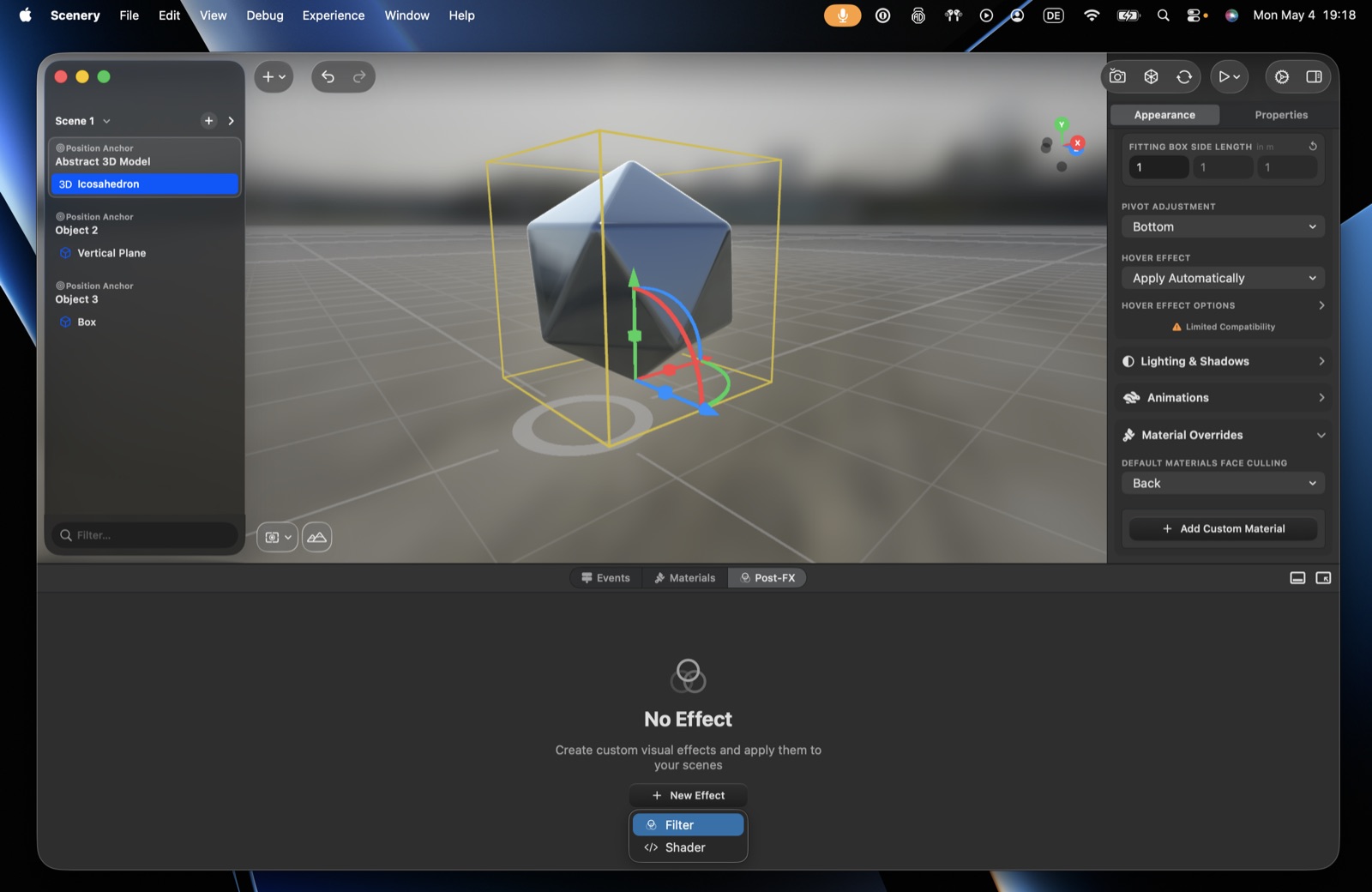 The Post-FX panel – New Effect, then Filter or Shader.
Filter
A predefined effect chosen from a built-in list – bloom, blur, distortion, dot screen, photo effects, pixelate, thermal, and more. Most filters expose parameters (e.g. a dot screen's angle, width, sharpness). You can stack several filters within one effect (e.g. dot screen + bloom).
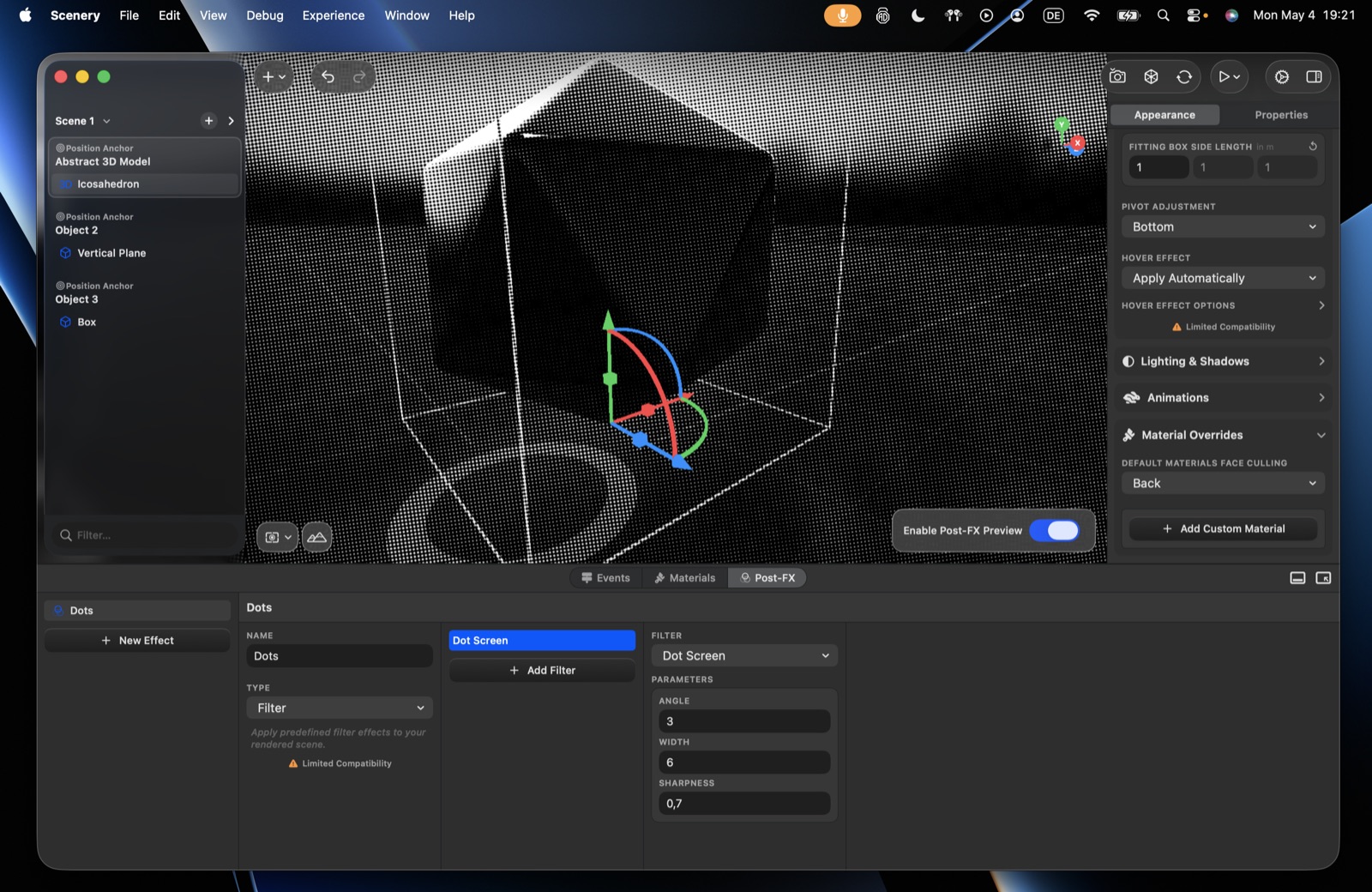 A Dot Screen Filter applied, with its parameters and the preview toggle.
Shader
A custom Metal-based effect. Load from the asset library or use live editing (a shader file on your Mac, updated live). A shader can contain multiple kernel functions (e.g. a rain effect and an underwater effect in one file). You can also bind object transforms (a scene object's transform is passed into the shader) and use the scene's depth texture.
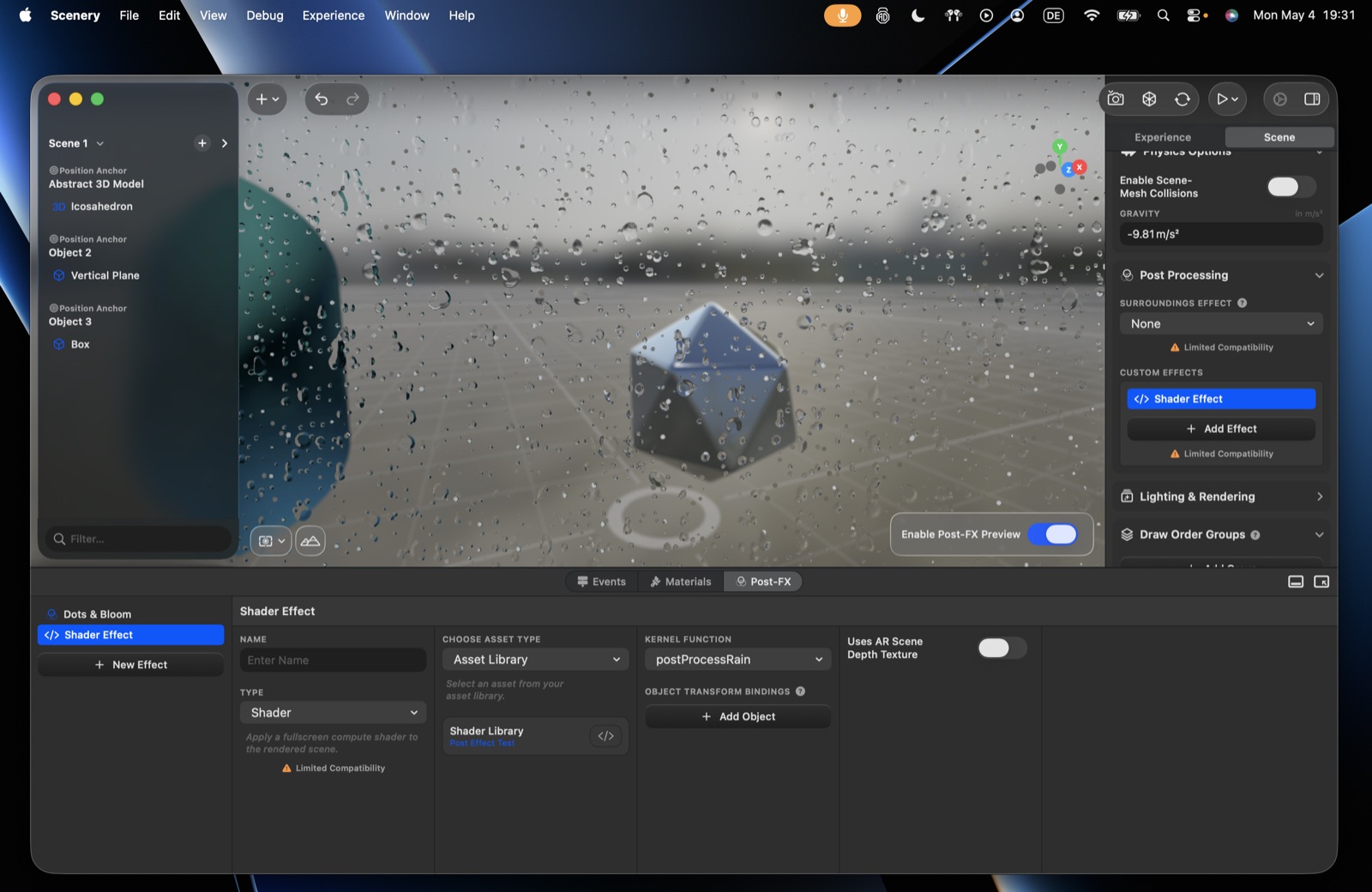 A Shader effect – kernel function, object transform bindings, and depth texture.
A post-processing shader is a compute kernel that reads the rendered frame (inColor) and writes a new one (outColor). One file can hold several kernels; the editor's kernel function picker chooses which to run.
Example: a post-processing kernel. This minimal kernel blends the frame with a UV gradient – a good starting point for porting effects from Shadertoy or The Book of Shaders.
cpp
#include <metal_stdlib>
using namespace metal;

[[kernel]]
void helloWorldPostProcessing(
    texture2d<half, access::read> inColor [[texture(0)]],
    texture2d<half, access::write> outColor [[texture(1)]],
    uint2 gid [[thread_position_in_grid]]
) {
    float2 resolution = float2(inColor.get_width(), inColor.get_height());
    float2 uv = float2(gid) / resolution;
    uv.y = 1 - uv.y; // flip y to match the texture coordinate system

    // stay within the frame bounds
    if (gid.x >= inColor.get_width() || gid.y >= inColor.get_height()) {
        return;
    }

    half4 fragmentColor = inColor.read(gid);
    half4 gradient = half4(uv.x, uv.y, 0, 1);
    half4 mixedColor = mix(gradient, fragmentColor, 0.5);

    outColor.write(mixedColor, gid);
}
Previewing and applying
- Enable post-effect preview – toggle this in the panel to see effects while you tweak them, without committing them to the scene.
- Apply to the whole scene – Scene settings → Post-processing effects → custom effects.
- Apply dynamically – the Set Post-Processing Effect action turns an effect on/off on a trigger. Handy for changing the whole visual style on user input (e.g. a different era's look per object the user picks).
Filter and Shader are the two author-selectable kinds; Preset (built-in) is Coming Soon; all post-FX is hidden for visionOS experiences.