
Appearance
Tracking Contexts
A tracking context decides how an experience understands and anchors to the world – whether it tracks the space around the user, a real-world location, a printed image, or a face. You choose it once, right at the start.
Choose it carefully – it's permanent
The context is set when you create the experience and can't be changed afterwards. Pick the right one before you build.
Each context has its own device compatibility – the picker shows which platforms support it as you select.
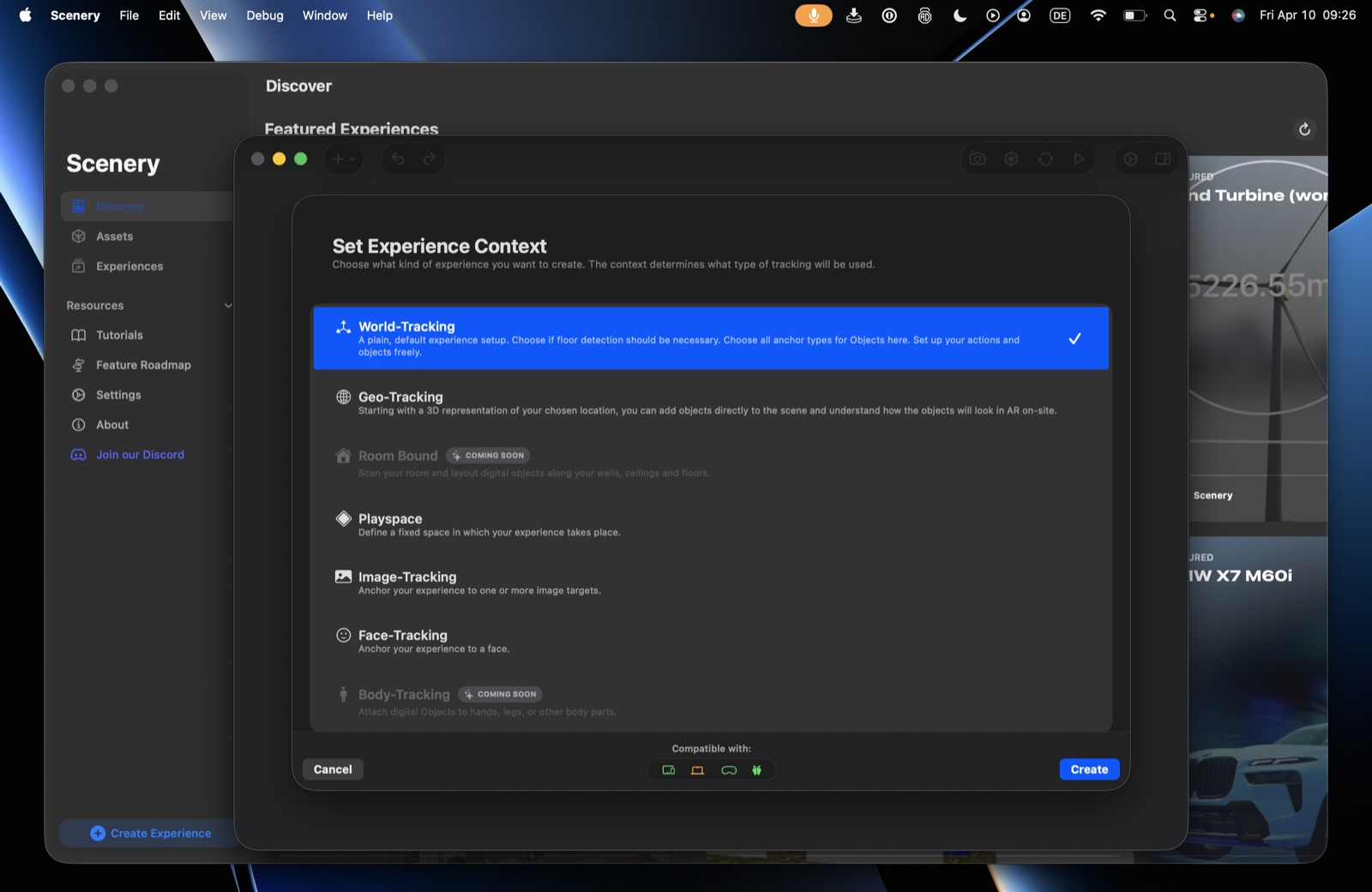 The Set Experience Context picker, with the compatibility row at the bottom.
World-Tracking (default)
The most flexible and versatile context, and the right choice for most experiences. It uses full six-degrees-of-freedom tracking and the rear camera to understand the space around the user – floors, walls, and surfaces. When someone opens a world-tracked experience, they're prompted to place the scene wherever they are, so the scene's origin is set by the user.
Choose World-Tracking unless you have a specific reason not to – you can build almost anything with it, and it's the most broadly compatible.
Geo-Tracking
Anchor a whole experience, or individual objects, to a specific outdoor location in the real world. Instead of placing the scene by hand, content appears pinned to its real coordinates when the user arrives. You start from a 3D representation of your chosen location and place objects directly onto it, so you can see how they'll look on-site.
Geo-Tracking uses a Visual Positioning System (VPS) – far more accurate than GPS, which on its own can drift enough to make content jump around. VPS localizes the user (and the virtual content) against real-world map data, so content can sit precisely on a building facade or in a plaza.
- On Apple Vision Pro, a geo experience is shown as a miniature diorama – a 3D model of the location with all your content inside it, explorable from a bird's-eye view. Handy for previewing a location-based experience without being on-site.
- App Clip distribution (instant, no install) uses Apple's location-based positioning. The Google-based option is too large to fit in an instant App Clip, so choose the Apple method if no-install delivery matters. See Publishing & Sharing.
What a geo experience needs. It runs outdoors – the map data behind VPS covers public streets and open spaces, not building interiors. The viewer's device needs an internet connection while localizing, because the map data is fetched at that moment rather than shipped with the experience, and location access with Precise Location switched on. Location access is granted per app, so the full app and the App Clip are asked for it separately.
Check that your location is covered before you build. Coverage is finer-grained than a country, or even a city – two streets apart can differ. When you pick the location for a geo experience, the picker reports availability for that exact coordinate, one line per positioning system, so you can see what your site supports before you commit to it. (currently shown on iPad)
If your location isn't covered, Placement & Localization has the alternatives: marker-based and manual localization, and the localization markers that act as a fallback under Automatic.
Geo-Tracking currently localizes using map data from Google and Apple. Custom VPS – localizing against your own scanned environment – is in the works, which will help indoor and private-location experiences (where public map data isn't available) and extend geo to the web.
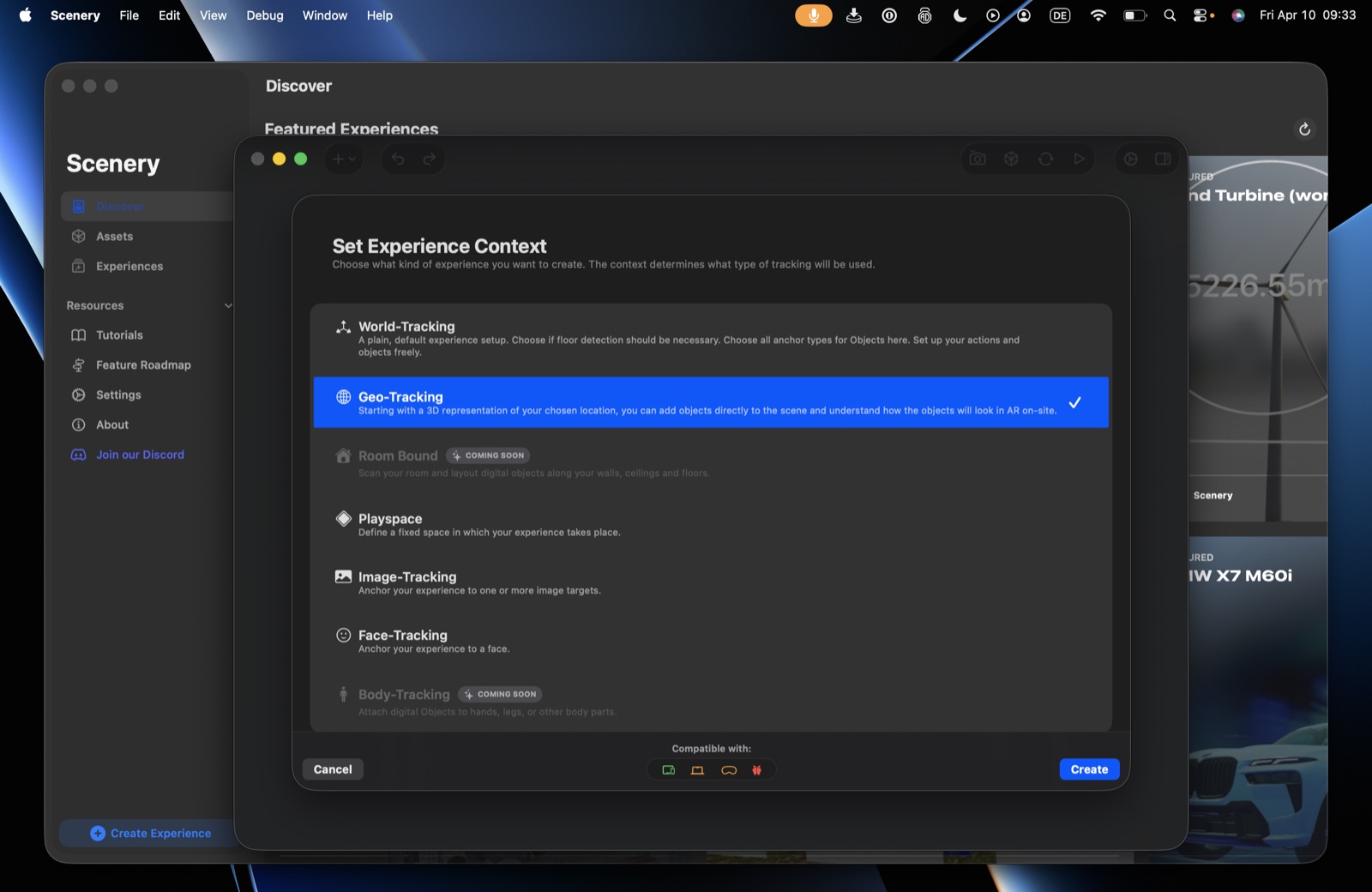 Geo-Tracking selected; the compatibility row updates per context (Web shows not yet supported here).
Image-Tracking
Build an experience that lives on a single image – a poster, a postcard, an augmented business card. The whole scene anchors to that image.
Choose Image-Tracking when the experience genuinely revolves around one image and doesn't need to understand the floor or surfaces around the user. Because the system only has to find the image rather than map the whole space, tracking is more stable and reliable.
Image anchors vs. the Image-Tracking context
You don't need this context just to put some content on an image. Within a World- or Geo-Tracking experience, you can give an image anchor to individual objects (e.g. augment two posters in a walk-around scene). Use the Image-Tracking context only when the entire experience is built around one image. See Anchors.
Face-Tracking
Anchor an experience to the user's face, using the front camera. Good for virtual masks, accessories, and effects that follow the face.
Face-Tracking gives you the face as a tracking anchor – the interactive layer is up to you (for example, drive a mask with blend-shape animation). It doesn't include higher-level detection such as pupil or eye-movement triggers, so expect to build a little more of the interactivity yourself.
Playspace
Define a fixed space in which the experience takes place – a carryover from walk-around scavenger-hunt experiences. Like World-Tracking, the user still places it manually. In most cases we recommend World-Tracking instead, as it's more versatile and broadly compatible.
Coming soon
- Room Bound – scan a room and lay out content along its walls, ceiling, and floor, with semantic understanding of the space.
- Body-Tracking – attach objects to hands, legs, and other body parts.
Element tracking is separate
Some tracking happens at the object level, not the experience level – for example, anchoring an object to a hand on Apple Vision Pro. That's set per object (see Anchors), not chosen here as the experience context, which is why hand tracking doesn't appear in this list.
Seven contexts exist; Room Bound and Body-Tracking are shown as Coming Soon. World-Tracking is the default selection in the picker.